Control who sees your roadmap with private permissions
You can now set any roadmap to private and control exactly who has access. This is particularly valuable for teams working on confidential initiatives, early-stage planning, or sensitive strategic work.
How it works
Open any roadmap in Easy Agile Roadmaps.
Select the lock icon in the navigation bar.
Choose "Private" and add the specific users who should have access.
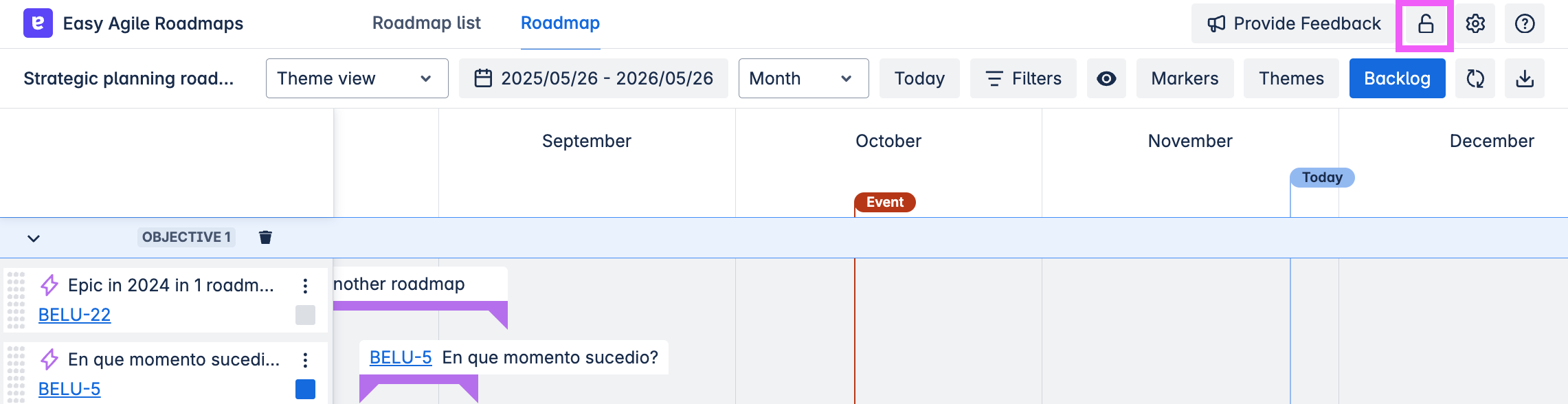
Private roadmaps don't appear in the roadmap list for anyone who hasn't been granted access. Permissions work alongside Jira's existing permission model, so your organisation's security settings are respected.
Why we built it
In the previous version of Roadmaps, access was controlled through Jira board permissions. With the new roadmap list view (which makes it easier to find and manage multiple roadmaps), we heard from customers that you needed a way to restrict visibility for specific roadmaps, particularly for confidential projects or planning that isn't ready to be shared more broadly.
Permission settings can also be configured when creating a new roadmap, so you can set this up from the start.
Want to learn more?
For more information, visit our help documentation
Links