Introducing Compact Mode: See more of your Roadmap at once
We've just shipped a highly requested improvement that makes it easier to share and review your roadmap without losing the big picture. Say hello to Compact Mode, a new way to view your plan when you need maximum clarity and minimum scrolling.
Compact Mode (Beta)
When every issue sits on its own row, it can be difficult to understand the full context of your plan during stakeholder reviews. Compact mode condenses your roadmap so multiple issues can sit on a single row, helping you see more work in less space.
It's ideal for:
Leadership updates where you want to show progress at a glance
Sharing roadmap context with teams who need the high-level view
Presentations where clarity matters more than editing
We've also redesigned the cards so key information like status appears directly on the item. This gives your audience richer context without expanding or drilling into details.
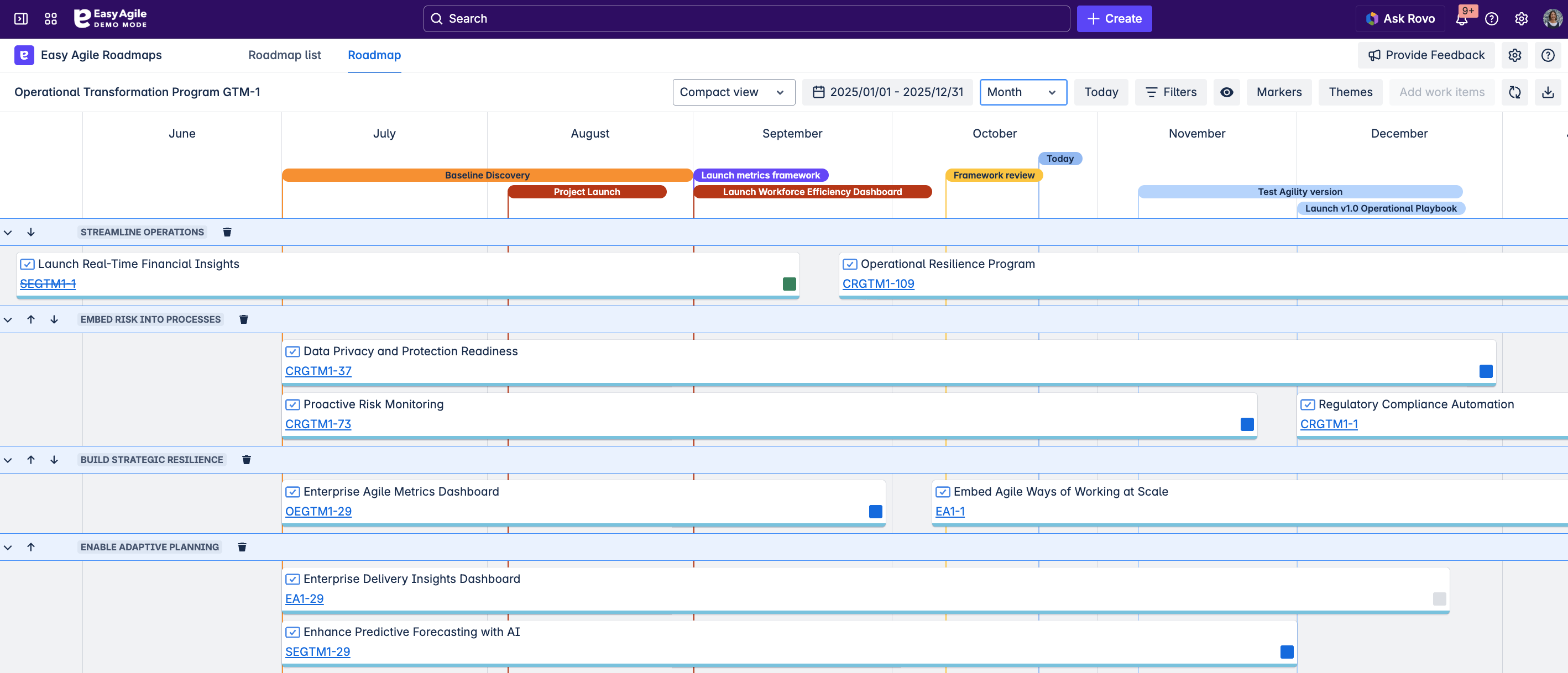
Compact mode is currently read-only while we gather customer feedback. You can still:
Adjust date ranges
Filter your roadmap
Add or remove themes
Add markers
Export your view
We're eager to here what you think as we explore future enhancements.
Why this matters
Teams told us that sharing a roadmap can feel cumbersome when only a few items fit on the screen. Compact Mode helps you communicate your plan with confidence, giving stakeholders a clearer, more complete view of what's happening and why.
If you'd like to learn more, visit our help documentation.
Other recent improvements
 Hide and show version markers
Busy roadmaps can become cluttered when every version marker is visible. Now you can toggle these markers on and off, keeping your view tidy and focussed on what matters most to the conversation.
 Longer theme names
Themes now support longer names so you can clearly articulate objectives or strategic priorities without them getting cut off.
 Updated colour system
We've aligned colours with Jira's native palette to reduce cognitive load. For example Level 1 issues now use the epic purple and Level 0 issues (stories, bugs, tasks) use the standard story green. This keeps your roadmap visually consistent with the workflows your team already know
Any questions or feedback?
Reach out to us at support@easyagile.com
Links